ServeMon
Could not connect to Redis at 127.0.0.1:6379: Connection refused
Connection refused is the kernel's answer, not Redis's: no process has that port open on that address. So Redis is stopped, listening somewhere else, or was never started on this Mac at all. Paths below are for Apple Silicon; use /usr/local in place of /opt/homebrew on an Intel Mac.
Is anything there?
redis-cli ping
lsof -nP -iTCP:6379 -sTCP:LISTEN
PONG means Redis is up and the error is in your app's config, not the server. If lsof prints nothing, keep going. If it prints a process on a different address (::1 only, or 192.168.x.x), the server is up but not on 127.0.0.1; see the bind section below.
Homebrew Redis: start it
brew services list
brew services start redis
brew services start loads a launchd job that also starts Redis at login. For a one-off without launchd:
redis-server /opt/homebrew/etc/redis.confIf it starts and immediately dies, or brew services shows error, read the log:
tail -n 50 /opt/homebrew/var/log/redis.logThe usual culprits are a port already in use (a second Redis, often a Docker one), a bad dir in the config that Redis cannot write to for its dump file, or a leftover /opt/homebrew/var/run/redis.pid.
Check bind and port
grep -E '^(bind|port|protected-mode|unixsocket)' /opt/homebrew/etc/redis.confHomebrew's default config binds 127.0.0.1 and ::1 on port 6379. If someone changed port, or set bind to only an IPv6 or LAN address, a client aiming at 127.0.0.1:6379 is refused. The running server reports what it is actually using:
redis-cli -p 6379 CONFIG GET bindDocker Redis: publish the port
docker ps --filter publish=6379
docker ps -a --filter ancestor=redis
A container is only reachable at 127.0.0.1:6379 if it publishes the port: -p 6379:6379 on docker run, or ports: ["6379:6379"] in the Compose file. Without that, the container is up, Redis inside it answers, and your Mac still refuses the connection. Inside Compose, other containers reach it by service name (redis:6379), so the same app works in a container and fails on the host; that is the difference.
If the container exited, docker compose up -d redis or docker start <name> brings it back.
localhost versus 127.0.0.1
Some clients resolve localhost to ::1 first. A Redis bound only to 127.0.0.1 refuses that, and the error names ::1 instead. Use 127.0.0.1 explicitly in the connection string, or bind both, which the Homebrew default already does.
Errors that are not this one
- NOAUTH Authentication required: Redis is up and reachable; it wants a password (requirepass in the config, or REDIS_PASSWORD on the container). Add -a to redis-cli or the password to the URL.
- DENIED Redis is running in protected mode: you reached it from a non-loopback address without a password. Connect via 127.0.0.1 or set a password.
- Connection timed out: a firewall or a wrong host, not a stopped server. Refused is instant; timeouts wait.
Not installed at all
which redis-server || brew install redisA fresh Mac, or one where a project's README assumed Redis was already there. After brew install, start it with brew services start redis and run redis-cli ping once more.
The easier way
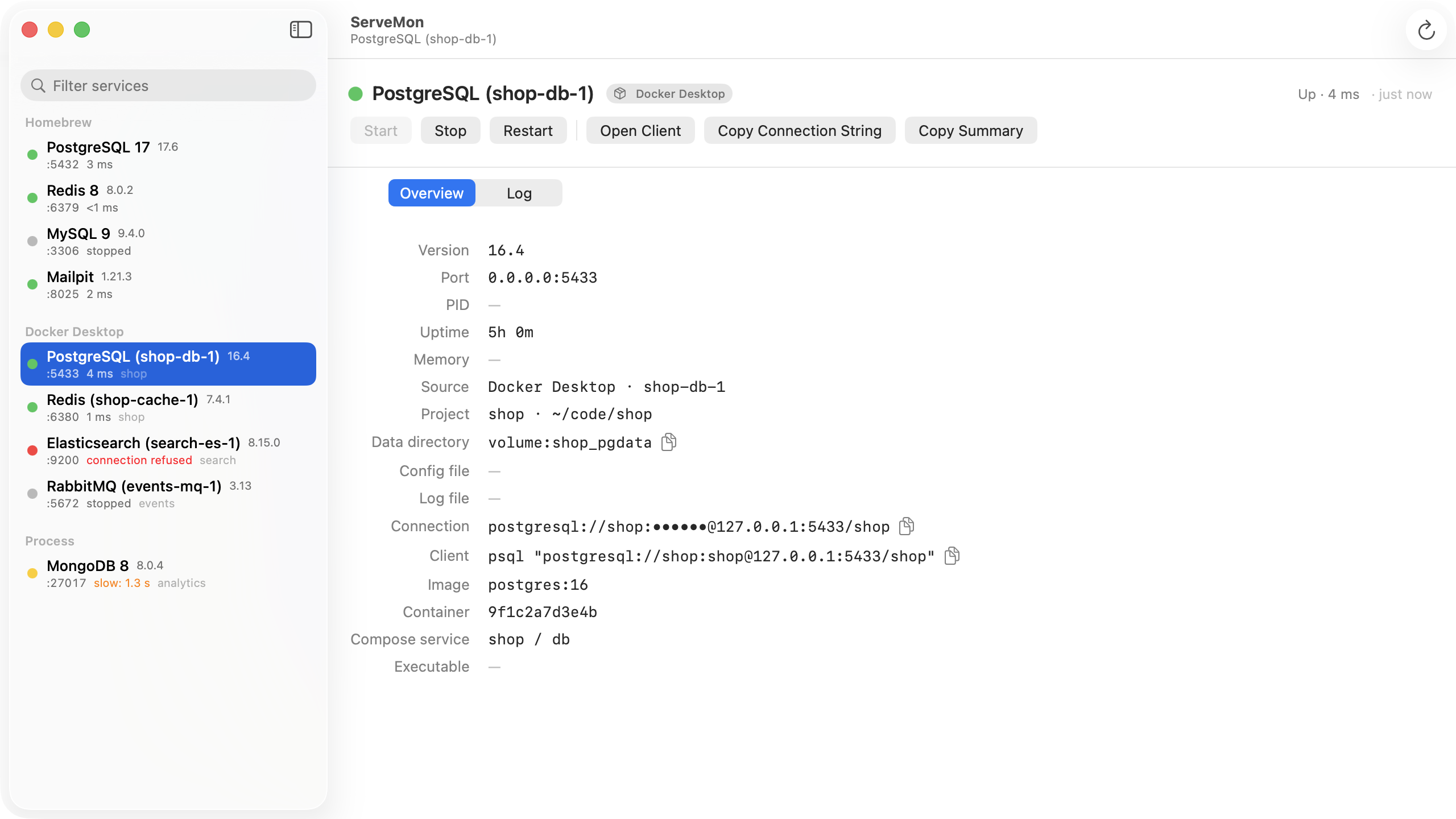
ServeMon lists every Redis on the Mac, Homebrew or container, with a dot that means it answered PING, not just that a port is open. A stopped Homebrew Redis appears in the list with a Start button; a container without a published port shows no host port, which is the whole diagnosis.