ServeMon
Homebrew Postgres and a Docker container both on 5432
Who has the port?
lsof -nP -iTCP:5432 -sTCP:LISTENOne line per listener. postgres in the COMMAND column is the Homebrew server (or Postgres.app, or one you ran by hand); com.docker.backend is Docker Desktop holding a published port on behalf of a container, and OrbStack, Colima, and Podman show their own helper process. It is common to see both lines, one on 127.0.0.1 and one on *, because a native Postgres bound to 127.0.0.1 and a runtime bound to all addresses can coexist on the same port number.
What each side says when it loses
tail -n 20 /opt/homebrew/var/log/[email protected]
docker compose up -d db
The Homebrew log says could not bind IPv4 address "127.0.0.1": Address already in use and the service exits. Docker says Bind for 0.0.0.0:5432 failed: port is already allocated and the container never starts. If neither complains, both are running.
Which one is psql talking to?
psql -c 'SHOW data_directory;'
psql -h 127.0.0.1 -p 5432 -U postgres -c 'SHOW data_directory;'
The first command connects through the Unix socket in /tmp, which only the native server creates, so it always reaches Homebrew. The second uses TCP, the same as your app, and reaches whoever bound the port. /opt/homebrew/var/postgresql@17 is Homebrew; /var/lib/postgresql/data is the container. If those two answers differ, you have found the bug: migrations run through psql went to one database and the app is reading the other.
Fix: stop one
brew services stop postgresql@17
docker compose stop db
Pick whichever you are not using for this project. brew services stop also stops it starting at login. Note that docker compose stop leaves the container exited but present; the next docker compose up brings it back onto the port.
Fix: move the container
services:
  db:
    image: postgres:16
    ports:
      - "5433:5432"
Publishing the container on 5433 lets both run. Then set the port in the app's connection string (DATABASE_URL=postgresql://postgres:[email protected]:5433/app) and use -p 5433 or PGPORT=5433 with psql. Moving Homebrew instead means editing port in postgresql.conf and restarting, which is more work and surprises every other project.
Postgres.app makes three
Postgres.app also defaults to 5432 and also creates the socket in /tmp. If it is installed and set to start at login, it may be the server winning the port, with Homebrew failing silently underneath. Its data directory is ~/Library/Application Support/Postgres/var-17, which is the third possible answer to SHOW data_directory;.
Tell them apart at a glance
| Answer to SHOW data_directory | Server | Socket in /tmp |
|---|---|---|
| /opt/homebrew/var/postgresql@17 | Homebrew | Yes |
| ~/Library/Application Support/Postgres/var-17 | Postgres.app | Yes |
| /var/lib/postgresql/data | Docker container | No |
The easier way
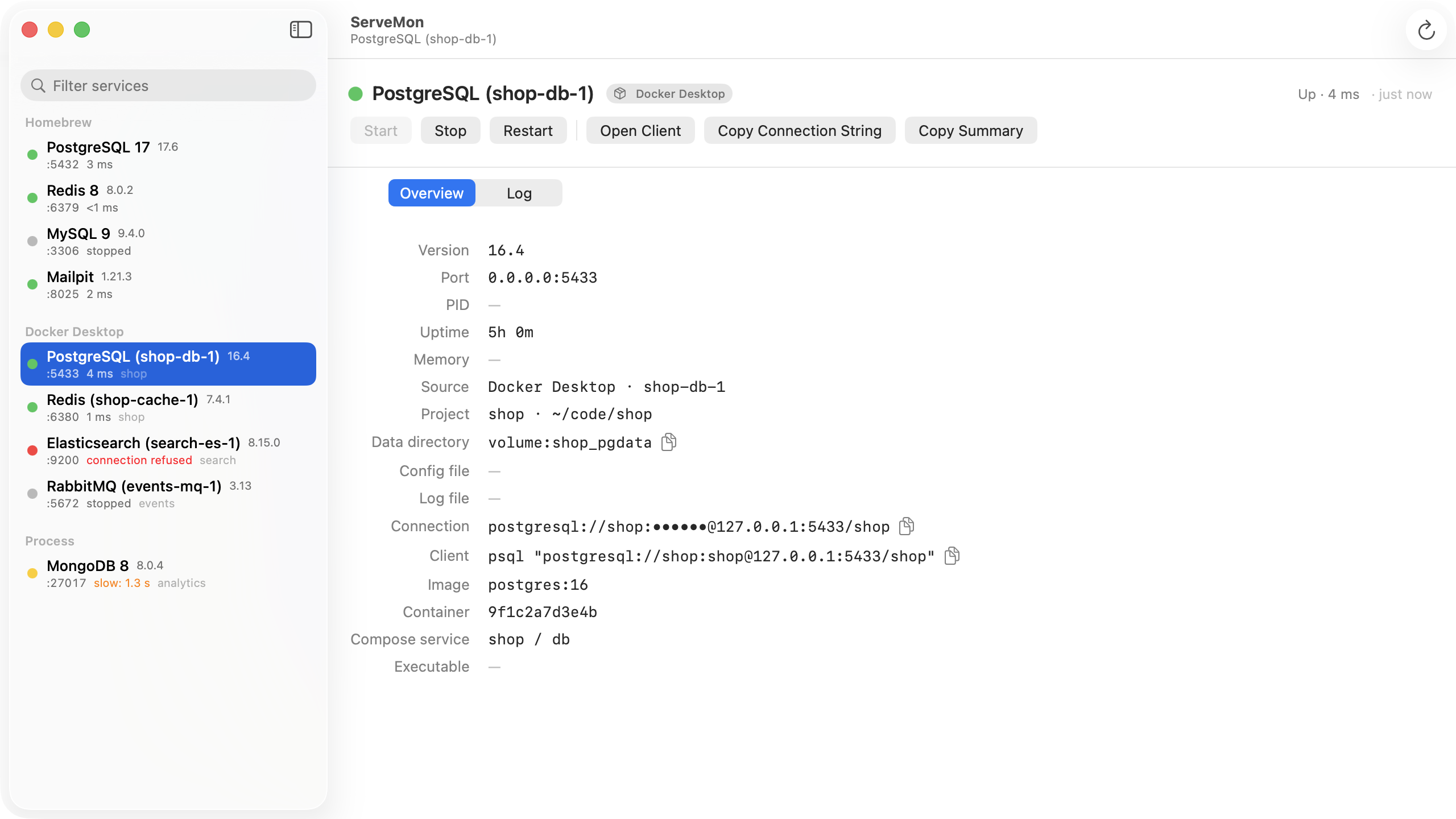
ServeMon shows both servers in one list, each with its source badge, port, bind address, and data directory, so "which one is on 5432" is answered by reading the screen. The stopped one has a Start button; the running one has Stop. Conflict detection that names the collision and suggests which to stop is planned for a later release.