ServeMon
Check whether Postgres is running on a Mac
"Running" has four different meanings here: a process exists, launchd thinks it is loaded, something is listening on 5432, and a client can actually connect. Check them in this order.
Ask the server
pg_isready -h 127.0.0.1 -p 5432accepting connections is the only answer that means yes. no response means nothing is listening on that port; rejecting connections means a server is there but still starting up, shutting down, or in recovery. If pg_isready is not on your PATH, Homebrew keeps it at /opt/homebrew/opt/postgresql@17/bin/pg_isready (/usr/local/opt on an Intel Mac).
Without -h, pg_isready and psql use the Unix socket in /tmp, which is a different question from "can my app connect over TCP". Ask both if they disagree.
Ask Homebrew
brew services list
brew services info postgresql@17
brew services list shows every formula with a service and its launchd state: started, none, or error with an exit code. info adds the PID, the user, and the plist path. Note what it does not check: whether the process it started is still alive and answering. A crashed Postgres can show as started until launchd notices, and one that is up but rejecting connections always does. See brew services says started but nothing is answering.
Ask the port
lsof -nP -iTCP:5432 -sTCP:LISTENThis shows the process that owns the port, whichever way it was started. The COMMAND column is the tell: postgres is a native server (Homebrew, Postgres.app, or a binary you ran); com.docker.backend or another runtime process means a container has the port. Nothing listed means nothing is listening, however many processes are named postgres.
ps -o pid,etime,args -p $(pgrep -x postgres | head -1)The arguments give you the data directory (-D) and the executable path tells you who installed it.
Ask Docker
docker ps --filter publish=5432
docker ps -a --filter ancestor=postgres
The first lists running containers that publish 5432 to the host. The second lists every container built from the postgres image, including exited ones, which is where a Compose database goes after docker compose stop. A container in Up state can still be red for a client: the server inside may still be running initdb, or the port may be published on a different host port than the one you are trying.
Why the answers disagree
Postgres accepts TCP connections only after recovery finishes, so there is a window at startup where the port is open and every connection is rejected. Homebrew's started is launchd's view of the job, not the server's. And two servers can exist at once, a Homebrew one on the socket and a Docker one on the port, so psql and your app are talking to different databases; see two Postgres instances on the same port.
Postgres.app
pgrep -fl Postgres.app
ls /tmp/.s.PGSQL.*
Postgres.app runs its servers from /Applications/Postgres.app/Contents/Versions/17/bin/postgres and defaults to 5432 too, so it competes with Homebrew for both the port and the socket file. The second command lists socket files; a native server of either kind leaves one there, a container never does.
What each check proves
| Check | Yes means | Does not prove |
|---|---|---|
| pg_isready | A server accepts connections on that address | Which server it is |
| brew services list | launchd loaded the job | The process is alive or answering |
| lsof | A process holds the port | The server has finished starting |
| docker ps | The container is up | The port is published to the host |
The easier way
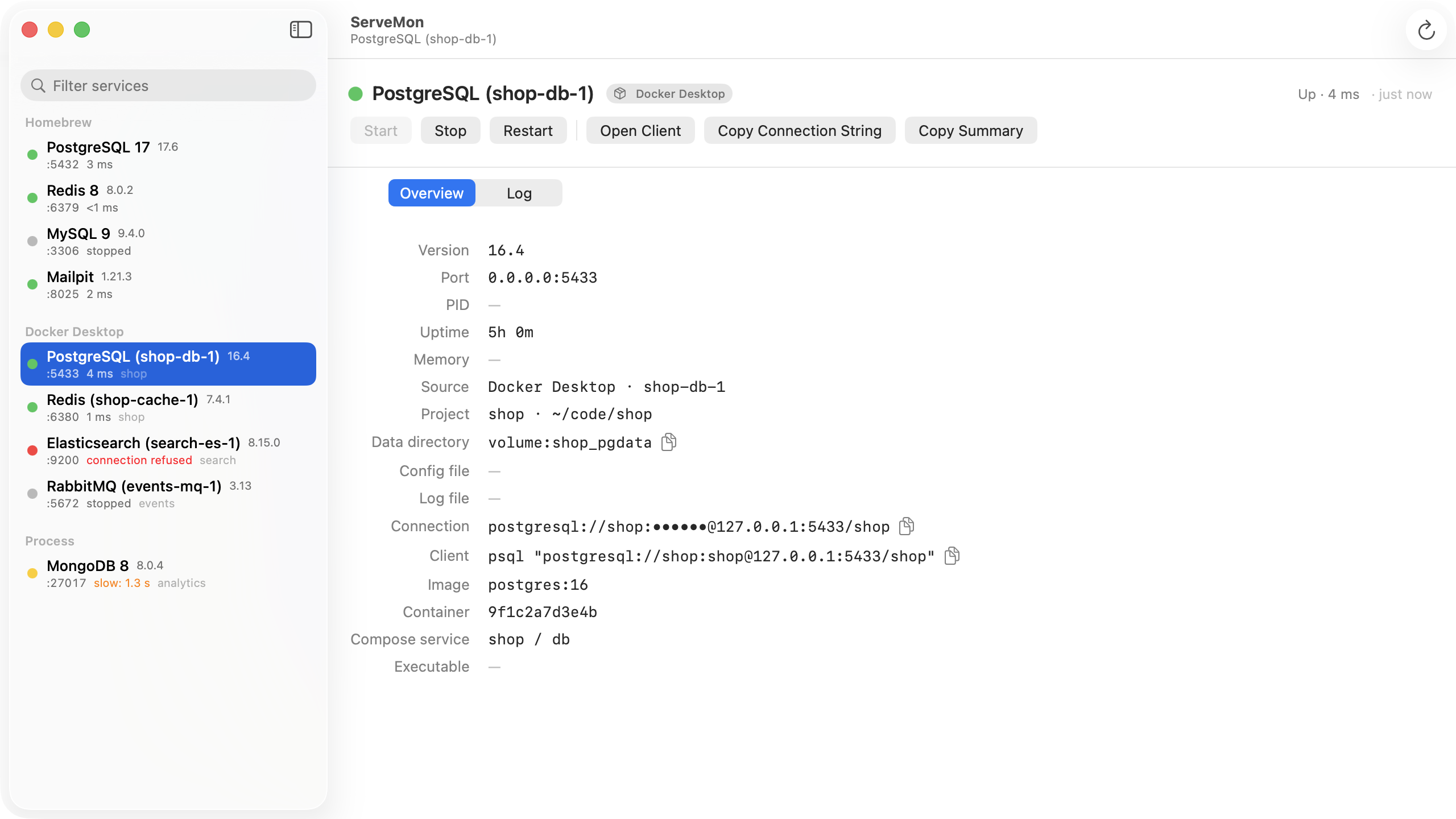
ServeMon runs the first check for you, continuously: it finds every Postgres on the Mac, whether Homebrew, Docker, Postgres.app, or a bare process, sends each one the real startup handshake, and shows a green, yellow, or red dot with the latency, version, port, and data directory next to it.